FAQs

t is a long established fact that a reader will be distracted by the readable t is a long established fact

Income from Capital Gains (34)

Yes, Advance tax is also payable on Capital Gains and casual income (i.e. income from lotteries, crossword puzzles etc.). As it is not possible to estimate at beginning of the financial year, and if such income arises after the due date of any instalment of Advance tax, then it has to be paid in remaining instalments before due date. If it is paid before the due date then there will be no interest for late payment of Advance tax.

Guide to Download Capital Gain Statement from Anand Rathi

Introduction

  • Capital gains are profits one earns from the sale of assets such as stocks, mutual funds and real estate. The gains will be classified as short term or long term based on how long they have been held.
  • Instead of manually entering the details you can simply upload a “Capital Gains Statement” that is a consolidation of your investment performance, capital gains and income on Anand Rathi for the current and last financial years.
  • This guide covers the step by step procedure to fetch this gain statement from the Anand Rathi website.

Process for Anand Rathi Capital Gains Statement

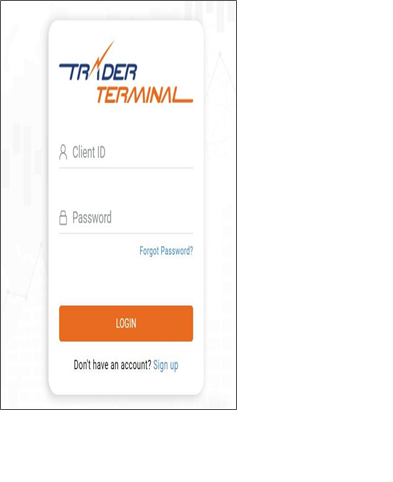
Step1: Login to your Anand Rathi Demat Account


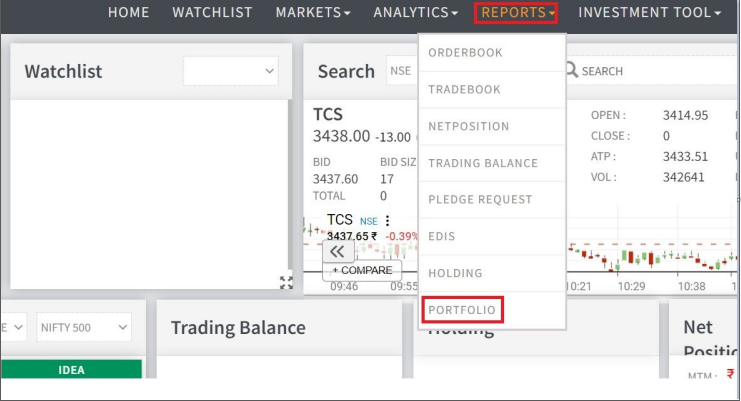
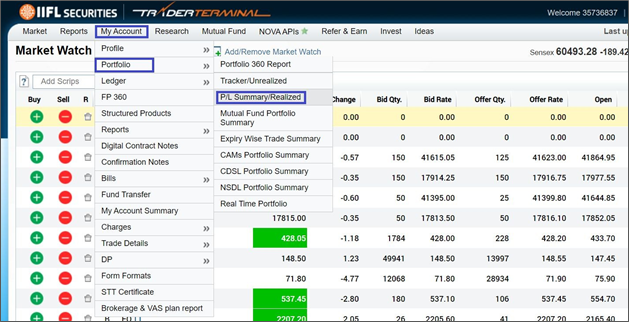
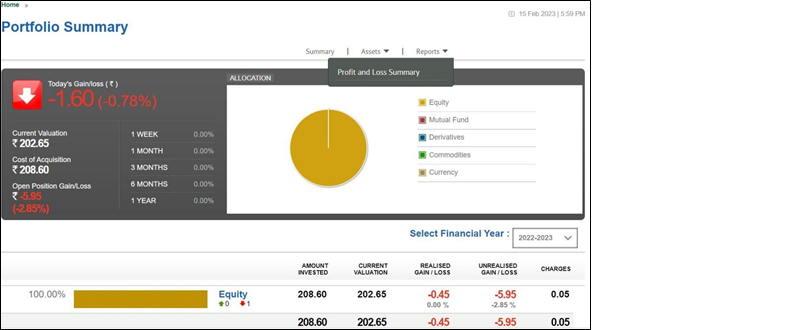
Step 2: Navigate to the Portfolio Section

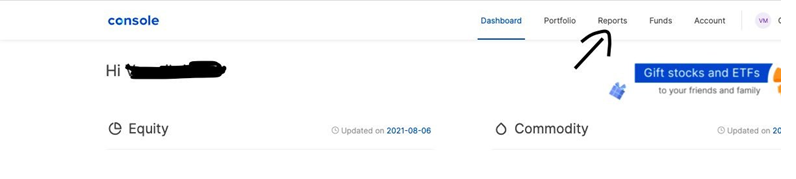
  • Clickon Reports and then select ‘Portfolio’

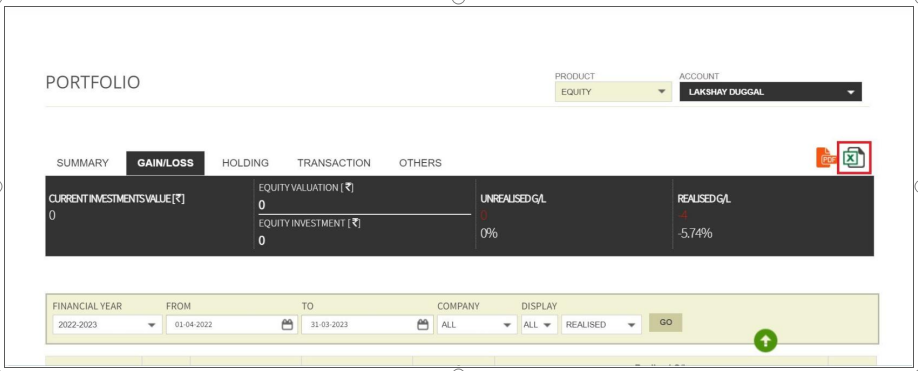
Step 3: Download the Profit & Loss Statement

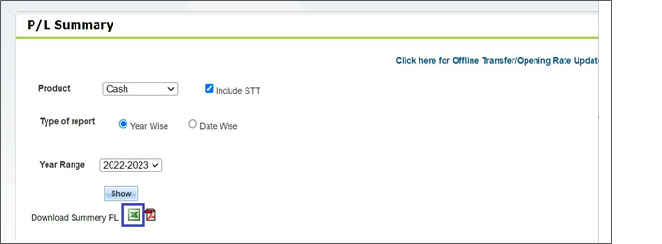
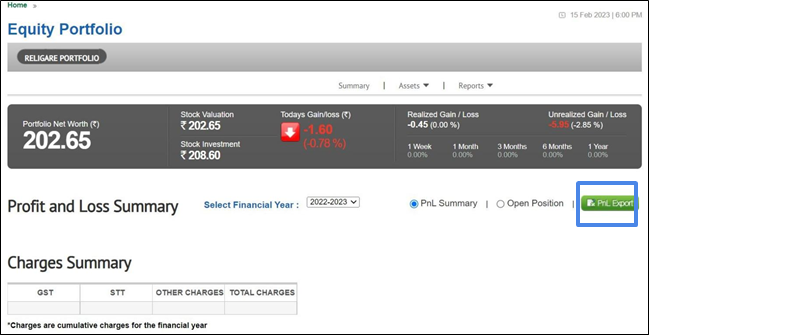
  • Select‘Gain/Loss’ tab in the portfolio page
  • Then click on “Excel” icon to download the report


Guide to Download Capital Gain Statement from Angel One

 Introduction

  • Capital gains are profits one earns from the sale of assets such as stocks, mutual funds and real estate. The gains will be classified as short term or long term based on how long they have been held.
  • Instead of manually entering the details you can simply upload a “Capital Gains Statement” that is a consolidation of your investment performance, capital gains and income on Angel One for the current and last financial years.
  • This guide covers the step by step procedure to fetch this gain statement from the Angel One website.


 Process for Angel One Capital Gains Statement

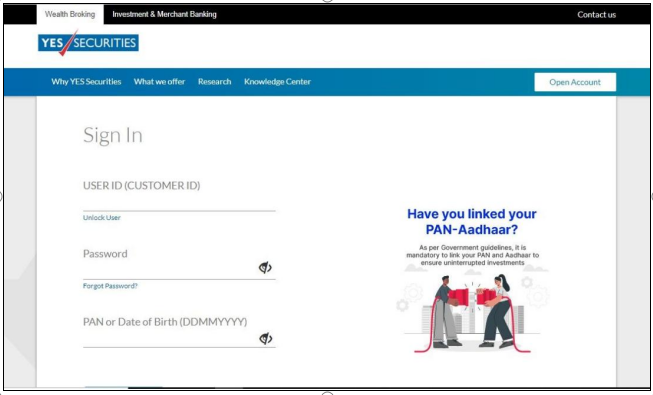
Step1: Login to your Angel One Demat Account

  • Click on the following link https://trade.angelone.in/

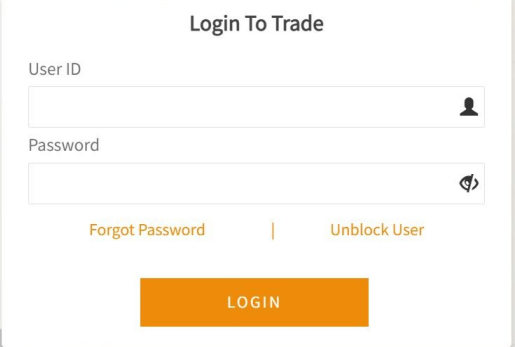
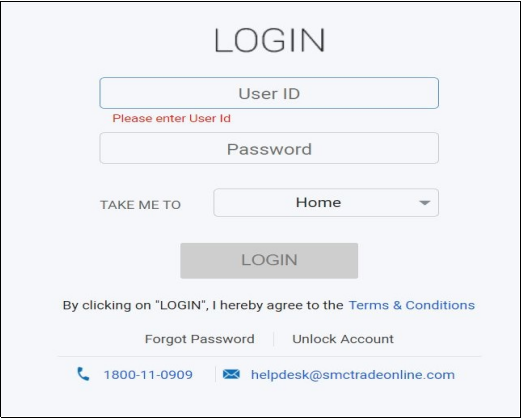
  • Click on the Login button to be redirected to the Login page shared in the screenshot

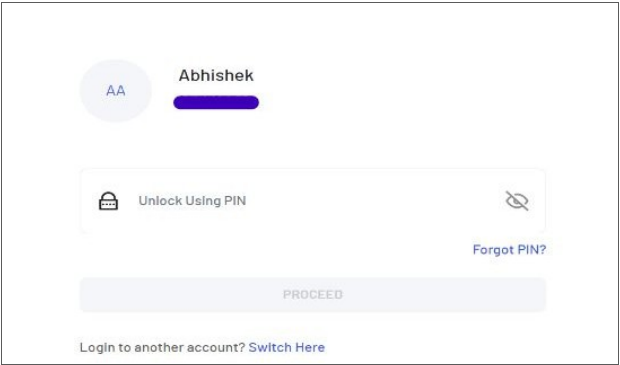
  • Enter the Login Credentials or Login using PIN setup

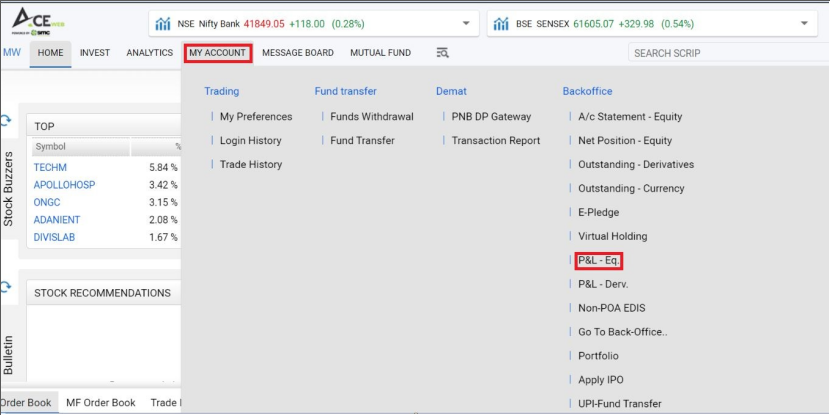
Step 2: Navigating to the ‘My Account’ section

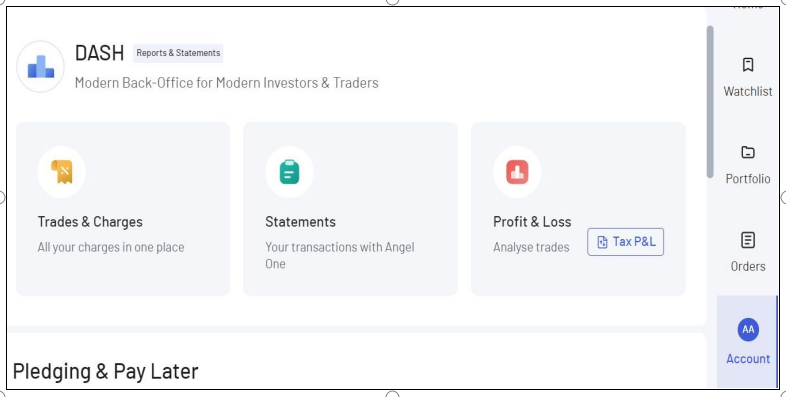
  • Goto the Dash section under My Account page
  • Then Click on Profit & Loss from the options under Dash section

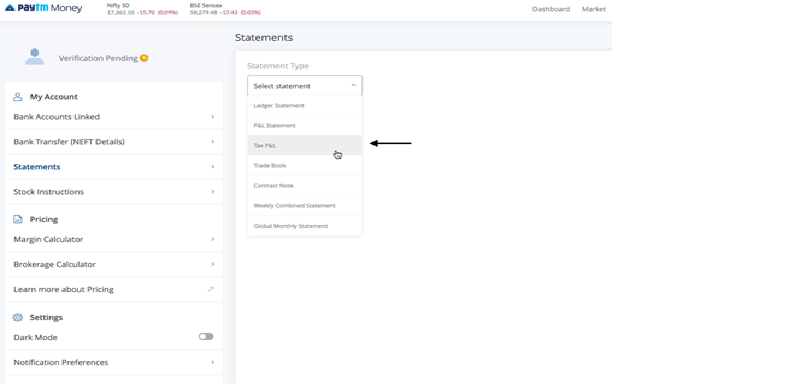
Step 3: Download the Tax P&L Report

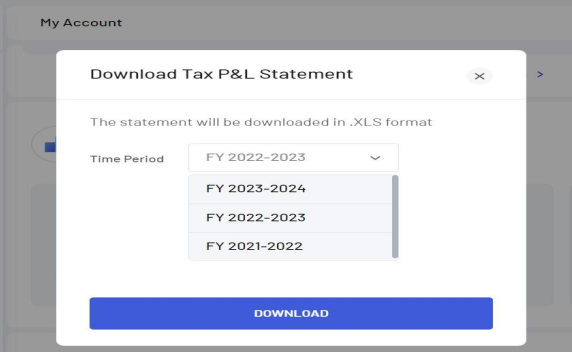
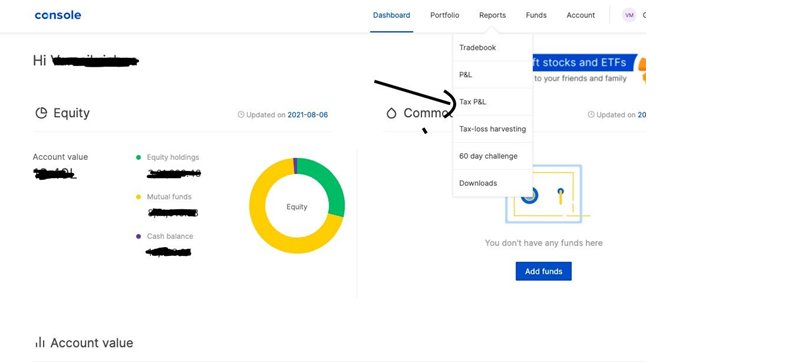
  • Click on Tax P&L under the ‘Profit and Loss’ section
  • Now choose the correct Financial year & select ‘Download’
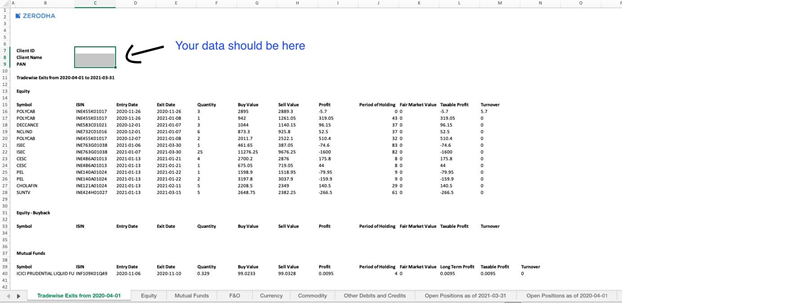
  • The report will be downloaded in .xls formats

Guide to Download Capital Gain Statement from Axis Direct

Introduction

  • Capital gains are profits one earns from the sale of assets such as stocks, mutual funds and real estate. The gains will be classified as short term or long term based on how long they have been held.

  • Instead of manually entering the details you can simply upload a “Capital Gains Statement” that is a consolidation of your investment performance, capital gains and income on Axis Direct for the current and last financial years.

  • This guide covers the step by step procedure to fetch this gain statement from the Axis Direct website.

Process for Axis Direct Capital Gains Statement

Step 1 : Login to your Axis Direct Demat Account

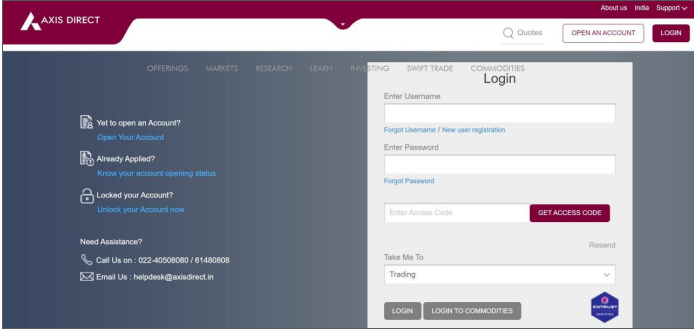
  • Click on the following link https://login.axisdirect.in/

  • Click on the Login button to be redirected to the Login page shared in the screenshot

  • Enter the Login Credentials

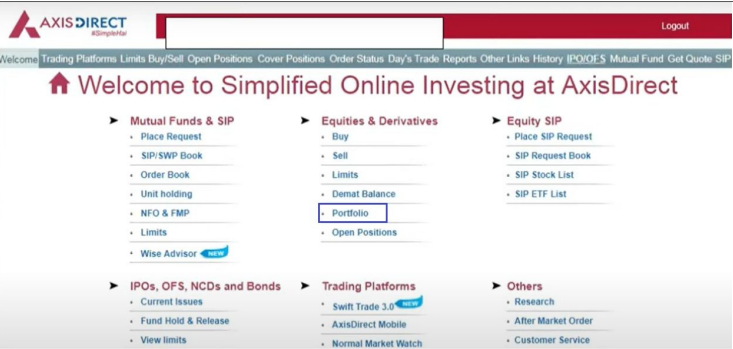
 Step 2 : Navigate to the Portfolio section

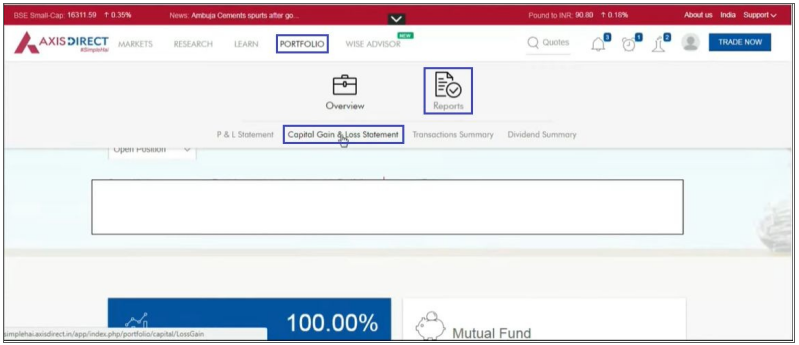
  • Under Equity & Derivatives, select on Portfolio


Step 3 : Select the Capital Gains/Loss report

  • Under Portfolio, click on Reports

  • Now inside Reports, select Capital Gains/Loss statement
 Step 4 : Download the statement

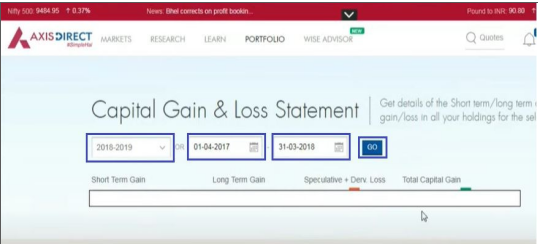
  • Nowselect the timeframe for which you want to download the report and click on Go
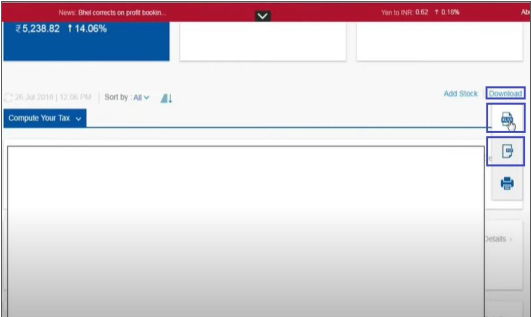
  • Click on Download option at the right and the download the report in PDF format


Guide to Download Capital Gain Statement from CAMS

Introduction

  • Capital gains are profits one earns from the sale of assets such as stocks, mutual funds and real estate. The gains will be classified as short term or long term based on how long they have been held.
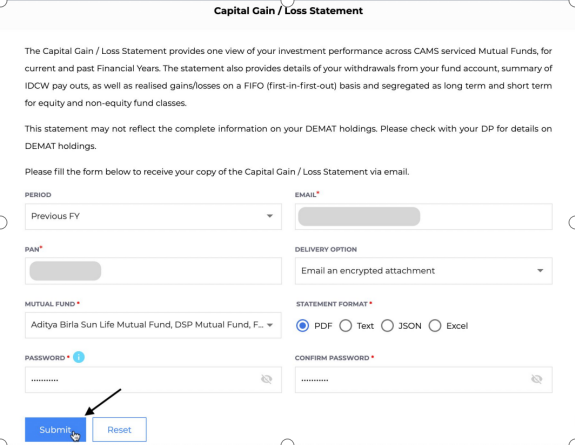
  • Instead of manually entering the details you can simply upload a “Capital Gains / Loss Statement” that is a consolidation of your investment performance, capital gains and income using CAMS for the current and last financial years.

  • This guide covers the step by step procedure to fetch this gain statement from the CAMS website.

Process for CAMS Capital Gain/Loss Statement

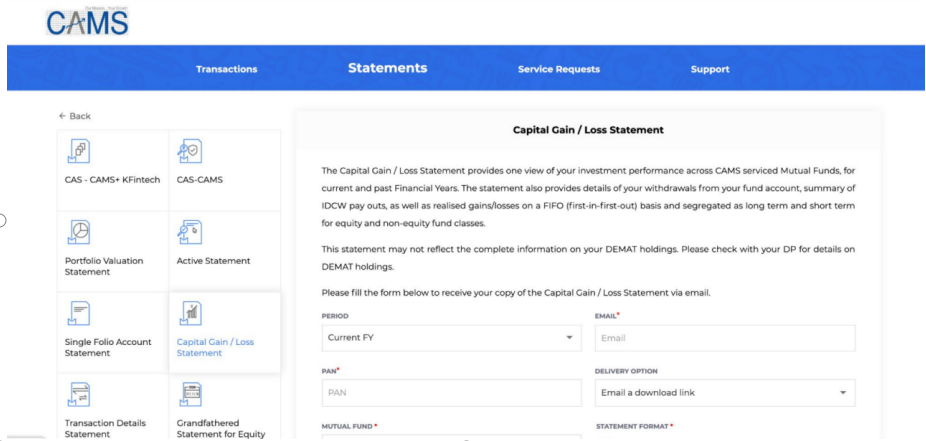
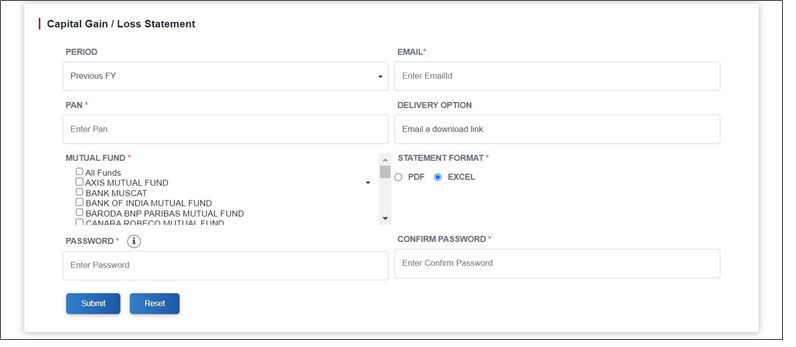
Step 1 : Go to https://www.camsonline.com/Investors/Statements/Capital-Gain&Capital-Loss-statement

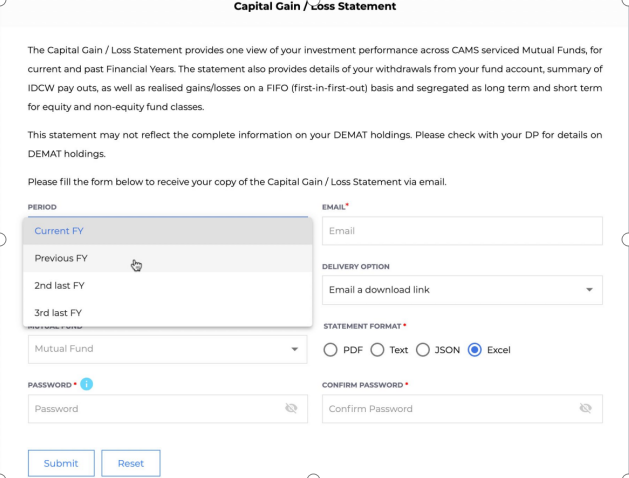
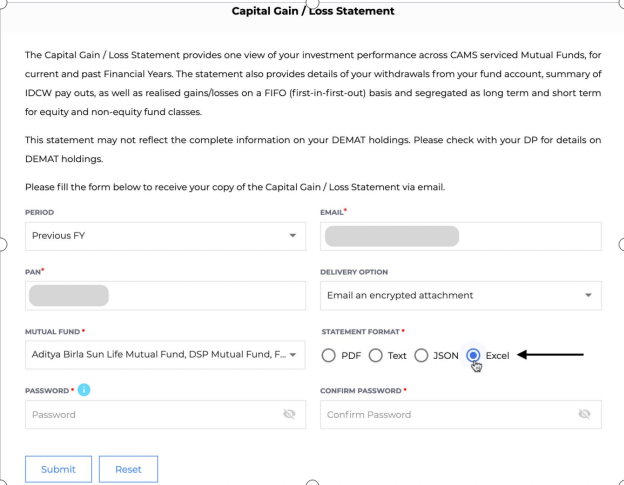
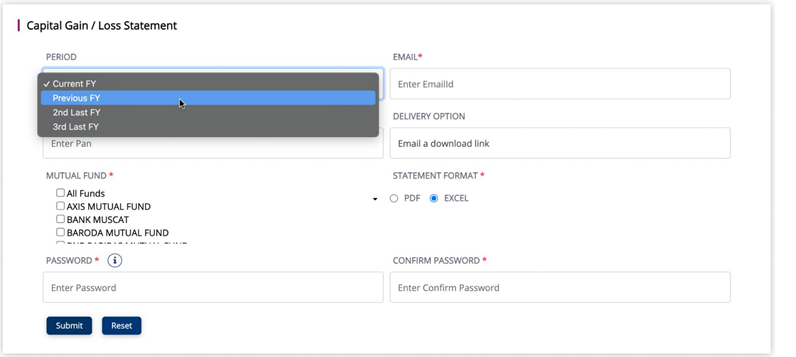
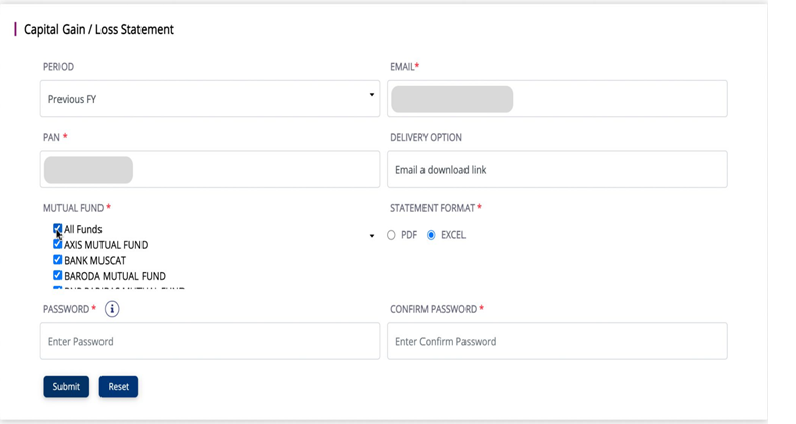
Step 2 : In Period, select the Financial Year (FY) for which you want to file for.

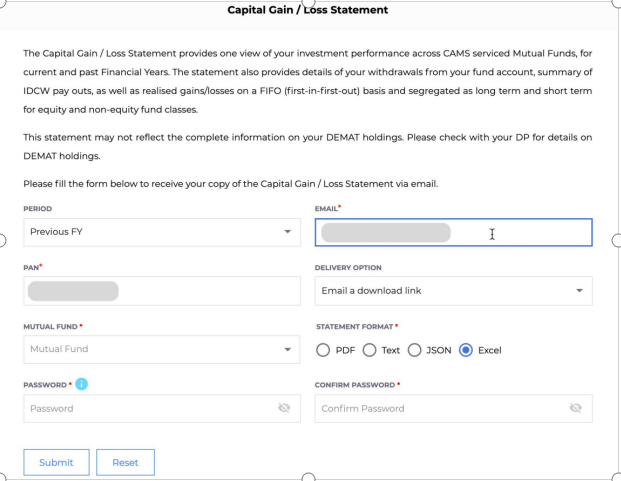
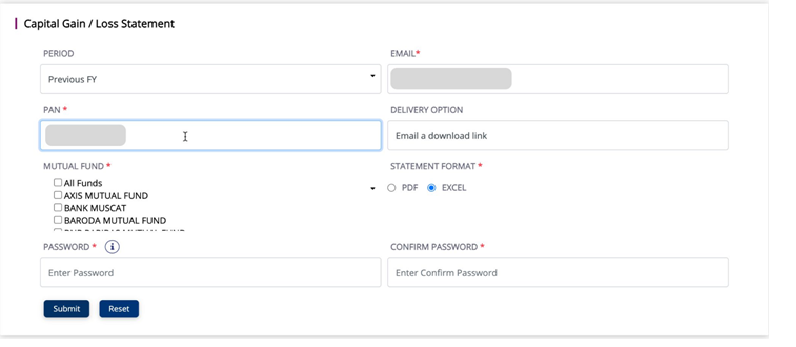
Step 3 : Enter your personal Email address and PAN. The report will be sent to this email address.

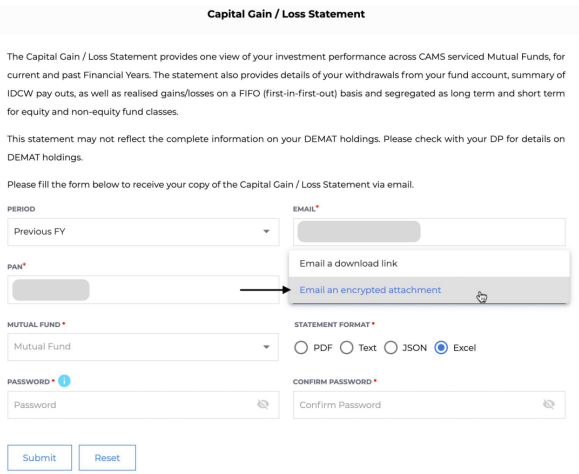
Step 4 : From the Delivery option dropdown, select Email an encrypted attachment.

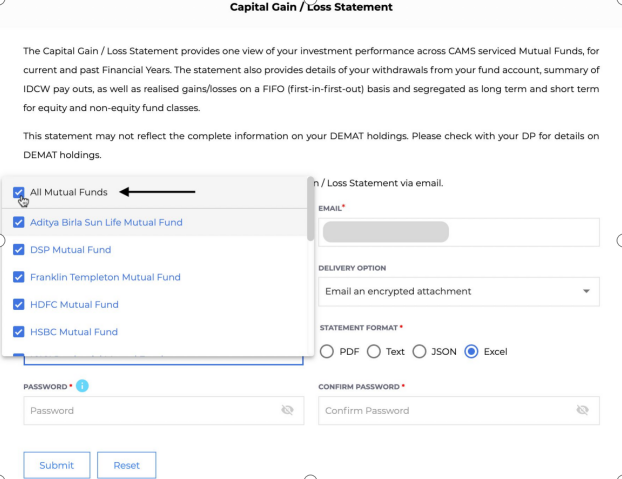
Step 5 : In the Mutual Fund dropdown, Select All Mutual Funds

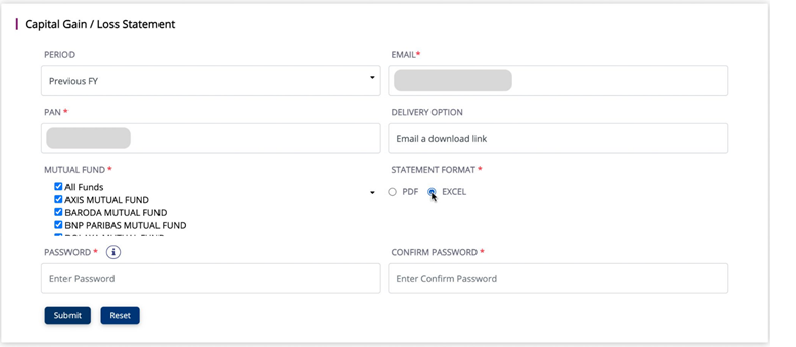
Step 6 : Under Statement Format, Select Excel.

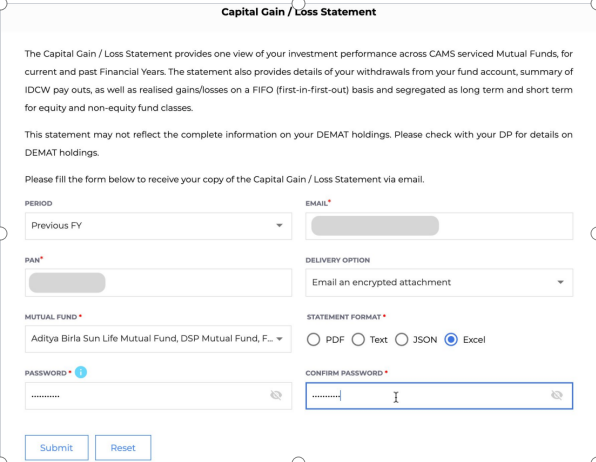
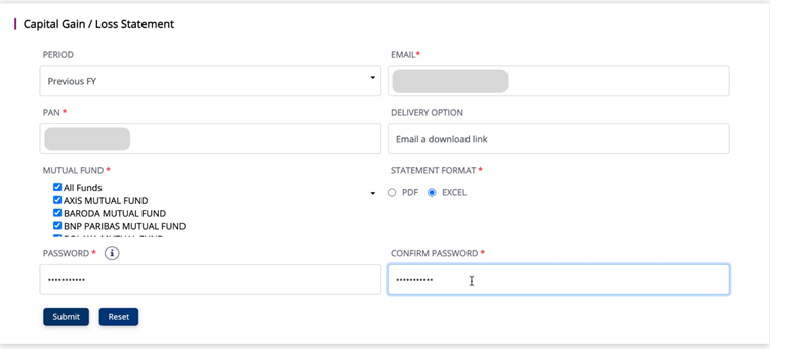
Step 7 : Enter a desired password in PASSWORD and CONFIRM PASSWORD fields. The email attachment will be password protected with the password you enter here.

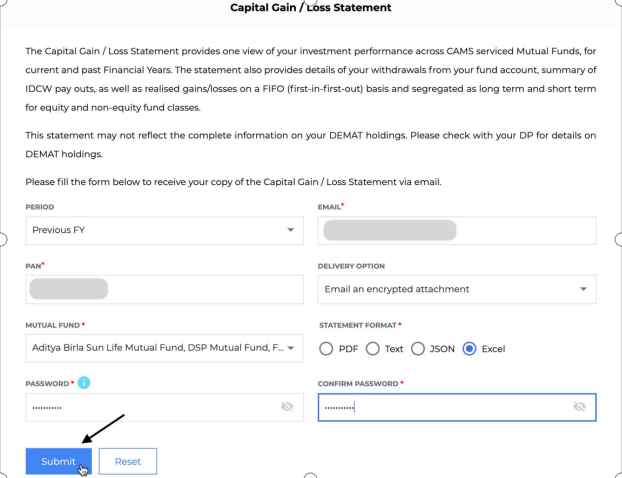
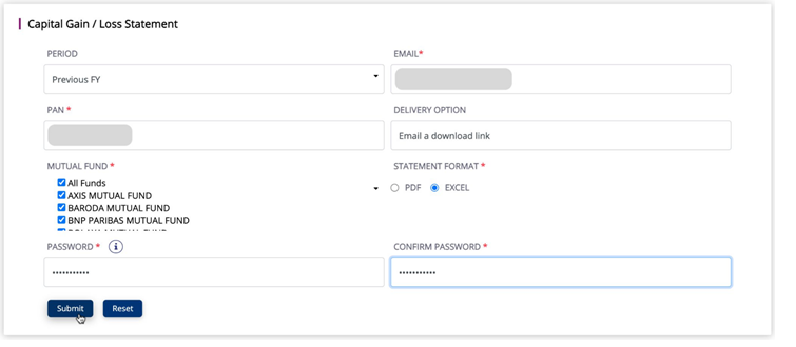
Step 8 : Click on Submit. You will receive your capital gain report on your personal email. Download the report.

Step 9 : We currently support .xlsx format, so when you download the file, open the file in Excel/Google Sheets and Save as .xlsx.

Guide to Download Capital Gain Statement from Fyers

Introduction

  • Capital gains are profits one earns from the sale of assets such as stocks, mutual funds and real estate. The gains will be classified as short term or long term based on how long they have been held.
  • Instead of manually entering the details you can simply upload a “Capital Gains Statement” that is a consolidation of your investment performance, capital gains and income on Fyers for the current and last financial years.

  • This guide covers the step by step procedure to fetch this gain statement from the Fyers website.

Process for Fyers Capital Gains Statements

Step 1: Login to your Fyers Demat Account

Step 2 : Navigating to the Capital Gain report section

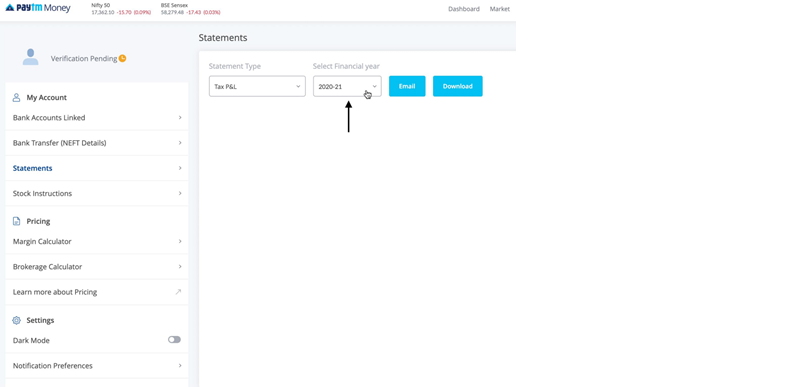
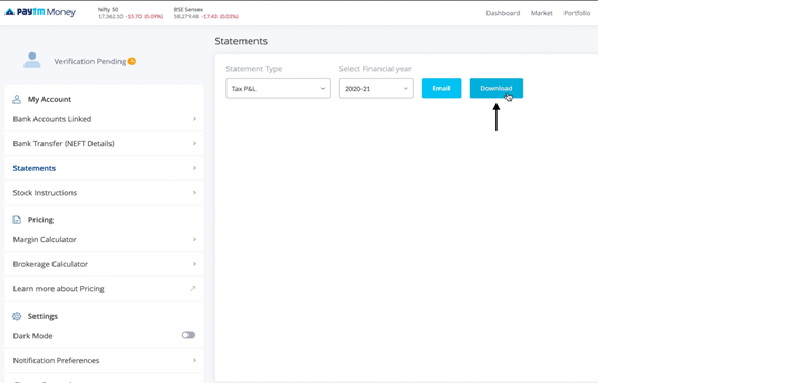
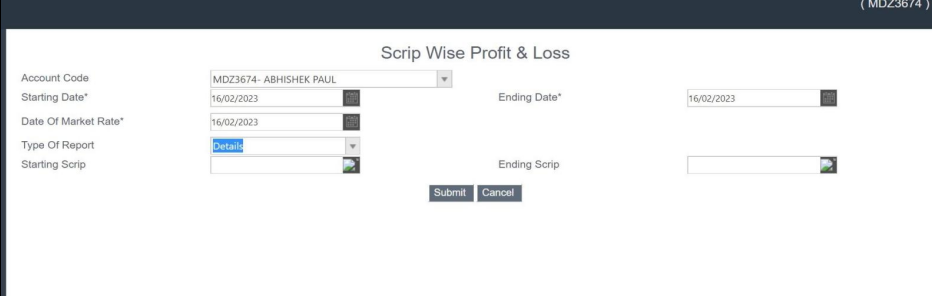
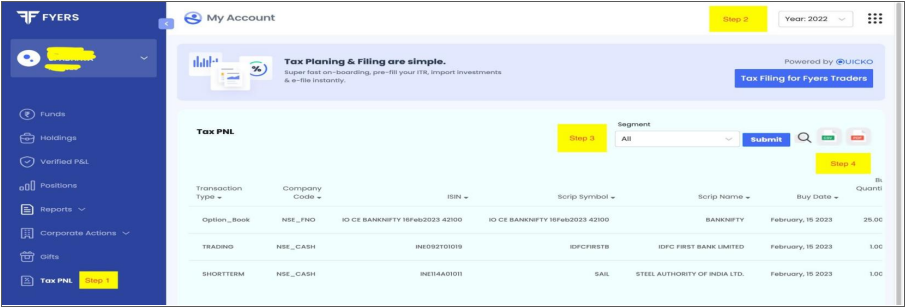
  • Click on Tax PNL.

  • Then Select the respective year and segment from the drop down as shown in screenshot.

  • Click on Submit button.
  • Click on Excel icon to download the report.


If transfer takes before 23rd july 2024, indexation is availed on LTCA. And if transfer takes on or after 23rd july 2024, indexation is not avaialable on LTCA.

No, benefit is not available for STCA. The indexation benefit is available only for long term capital asset, provided this benefit is available upto 23-07-2024. Means any transfer of long term capital asset on or after 23-07-2024 indexation benefit is not available.

As per Income Tax Act, transfer of capital assets by way of gift, will etc is not regarded as transfer. So any gains arised from such transfer is not taxable for the person making the gift. However, if the person who is receiving the gift is taxable for further transfer of such asset. And the cost of acquisition wil be the cost of acquition of pervious owner.

If the income from the transfer is taxable under the heading of "Capital Gains," the dates of acquisition and sale of the land or building must be provided.

If an individual assessee dies without utilising the funds in CGAS, such amount cannot be treated as income of the deceased and also not taxable in the hands of legal heirs.

The LTCG from Listed Equity shares and Listed equity oriented mutual funds where STT paid are taxed at flat 12.5% in excess of Rs. 1.25 lakh if transferred on or after 23-07-2024. And if transferred before 23-07-2024 then taxed @ 10% in excess of Rs. 1.25 lakh. And for other than mentioned before capital assests transfer before 23-07-2024 with indexation 20% and without indexation 12.5% and for transfer of on or after 23-07-2024 12.5% ( no indexation is available) in excess of Rs. 1.25 lakh.

If STCA covered under 111A then 15% for any transfer which takes place before 23-07-2024; and 20% for any transfer which takes place on or after 23-07-2024. Other than 111A covered assets taxable at normal rates on the basis of the total income of the taxpayer. NOTE: Capital assets covered under 111A STCG arising in sale of equity shares, equity oriented mutual funds, units of business trust through a recognised stock exchange which is chargeable to STT. And also available for these shares if STT not paid if following conditions are satisfied - (i) through a recognised stock exchange located in any International Financial Services Centre, and (ii) consideration is paid or payable in foreign currency.

If any individual or HUF gets profit from sale of residential house and such profits are invested in the another residential house within 2yrs of sale or before 1 yr of sale or construction of house with in 3yrs OR profits has to be deposited in CAGS. The amount allowed as exemption is capital gains arrived or cost of acquisition whichever is lower. In case if there are any unutilised CAGS funds then such amount will be taxable as capital gains or transfer of new asset with in 3yrs then earlier exempted amount will be reduced from the cost of acquisition to calculate capital gains thereon.
The last date to deposit funds into the Capital Gains Account Scheme (CGAS) is on or before the due date for filing your Income Tax Return (ITR) for the relevant financial year. For most individual taxpayers in India, this deadline is July 31st of the assessment year following the financial year in which the capital gain occurred.

No articles available for this category.

Have Questions? Let’s Talk!

Chat With Us

Scan to chat

Scan QR Code

OR
Start Chat